FreeMacSpace
FreeMacSpace
One job: reclaim storage after review, in Safe, Rebuildable, and Review — then Trash, or delete permanently.


Why buy FreeMacSpace
A full scan finishes in about 30 seconds, with a minimal memory and CPU footprint. It stays on this Mac. No data is collected.
One job: reclaim storage after you review it. Every category is Safe, Rebuildable, or Review — then Trash, or delete permanently. Never a silent delete.
Why FreeMacSpace
Other apps bundle boosters, malware scans, and one-click junk scores. FreeMacSpace has a single job: show reclaimable space in three categories, let you review it, then move only what you confirm.
Caches, logs, and package caches that are safe to clear. Selected when you are ready — Trash by default, or delete permanently after confirm.
DerivedData, Gradle, Maven, CocoaPods, unused sims. They come back on the next build.
Large files, app leftovers, Docker extras. Nothing here is cleaned until you open the list and choose.
Nothing is reclaimed until you have seen the category and the files. Safe is still a choice. Review is never automatic.
The installer is about 5.5 MB to download and roughly 11 MB installed — a cleanup tool that does not eat the space you are trying to reclaim.
FreeMacSpace does not scan for malware, boost RAM, or manage updates. It reclaims disk space, and only after you review what will move.
Preview shows exact paths and sizes. Deselect anything you want to keep, Reveal in Finder, then confirm. Trash by default, or delete permanently when you choose.
Safe, Rebuildable, and Review replace a mystery junk score. You always know why a category is on the list.
pnpm, Xcode, Gradle, unused sims, Docker images — leftovers that actually fill a build machine, each in a named tier.
Real apps
FreeMacSpace reclaims storage the safer way: you review Safe, Rebuildable, and Review categories before anything moves. CleanMyMac X and CCleaner for Mac are broader cleaner suites, not this review model.
FreeMacSpace
One job: reclaim storage after review, in Safe, Rebuildable, and Review — then Trash, or delete permanently.
MacPaw
All-in-one suite: junk cleanup, Space Lens, malware Protection, uninstaller, “smart” scans.
Piriform / Gen
Freemium clutter cleaner: caches, browsers, duplicates, large files, startup items.
| Capability | FreeMacSpace | CleanMyMac X | CCleaner for Mac |
|---|---|---|---|
| Primary job | Reclaim storage after review | All-in-one optimize | Junk + privacy |
| Cleanup only after you review categoriesFreeMacSpace groups reclaimable space into Safe, Rebuildable, and Review. Review items stay unselected until you open the list. | Yes | Partial | Partial |
| Developer caches (Xcode, package managers, Docker…)CleanMyMac documents Xcode junk; FreeMacSpace centers Safe/Rebuildable/Review developer categories (pnpm, Gradle, sims, Docker images, and more). | Yes | Partial | Partial |
| Exact item preview before cleanup | Yes | Partial | Partial |
| Readable Safe / Rebuildable / Review tiers | Yes | No | No |
| Visual storage map (sunburst / Space Lens style) | Partial | Yes | No |
| Default cleanup path is TrashFreeMacSpace defaults to Trash. Permanent delete is available after review, behind a typed DELETE confirm. | Yes | Partial | Partial |
| Scan without creating an account | Yes | Partial | Yes |
| Download / installed size (approx.)FreeMacSpace 0.2.0 DMG is ~5.4 MB (Apple Silicon) / ~5.6 MB (Intel); ~11 MB on disk after install. Suite installers are typically tens to hundreds of MB. | ~5.5 MB DMG ~11 MB installed | Much larger suite | Larger suite |
| Trial / free use without a credit cardCleanMyMac’s published trial commonly requires payment details. CCleaner Free is usable without a card. | Yes | No | Yes |
| Typical paid entry (approx., public list prices)1 Mac where plans differ. CleanMyMac yearly is billed as $39.95. CCleaner Pro is yearly only; the free tier stays available. | $4.99/mo $23.88/yr $49.99 once | $9.95/mo $39.95/yr ~$120 once | Free tier No monthly Pro ~$30–45/yr |
Sources: CleanMyMac X and CCleaner for Mac. Pricing and modules change; figures are approximate public list prices as of 2025–2026 research. FreeMacSpace is intentionally narrower: one job, reclaim storage after review, using Safe, Rebuildable, and Review — then Trash, or delete permanently. It is not antivirus, not a duplicate-photo app, and not a speed booster.
Real windows from FreeMacSpace: Overview, Cleanup, Developer, Large Files, Applications, and Settings — local and private on your Mac.
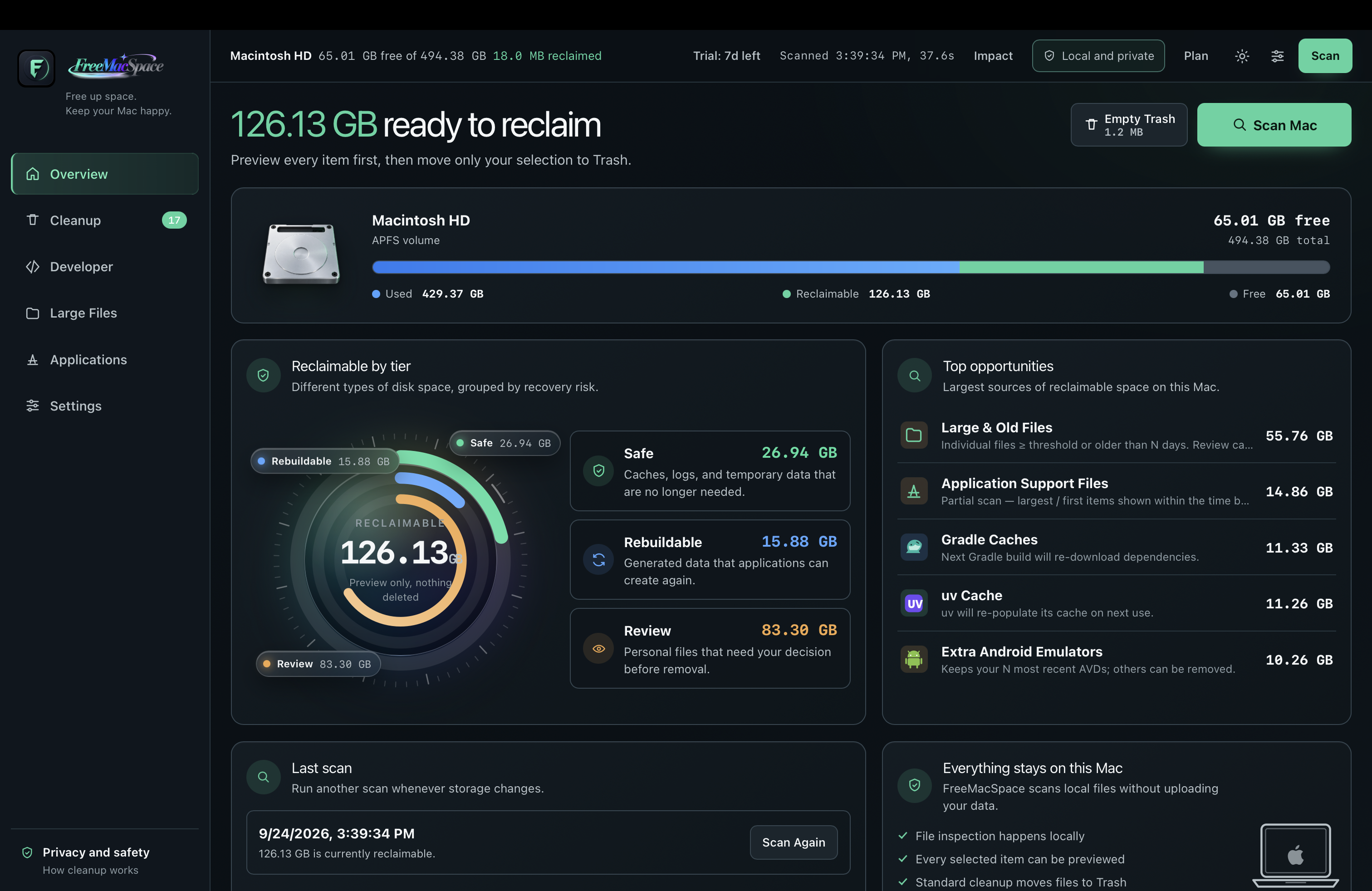
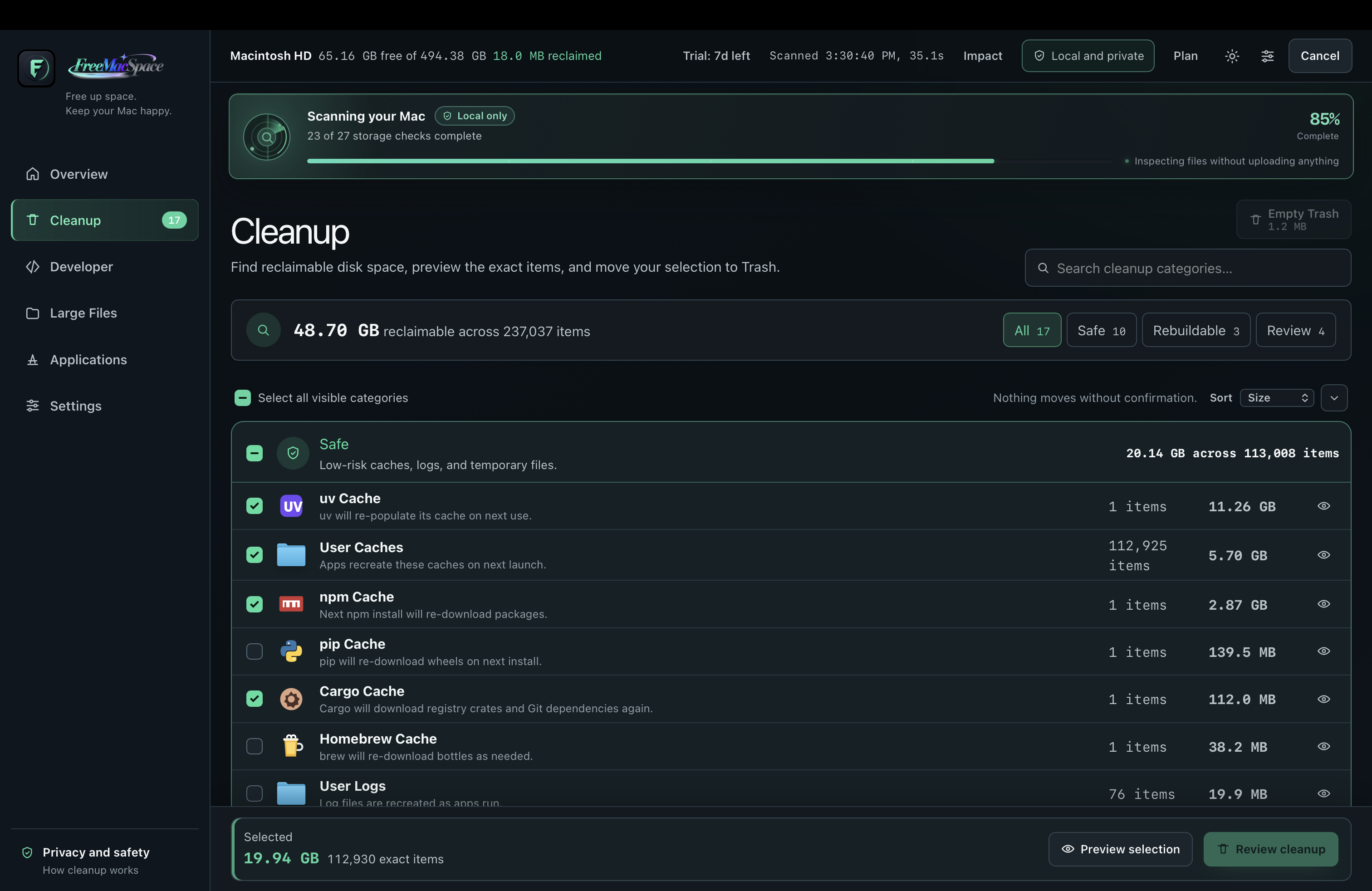
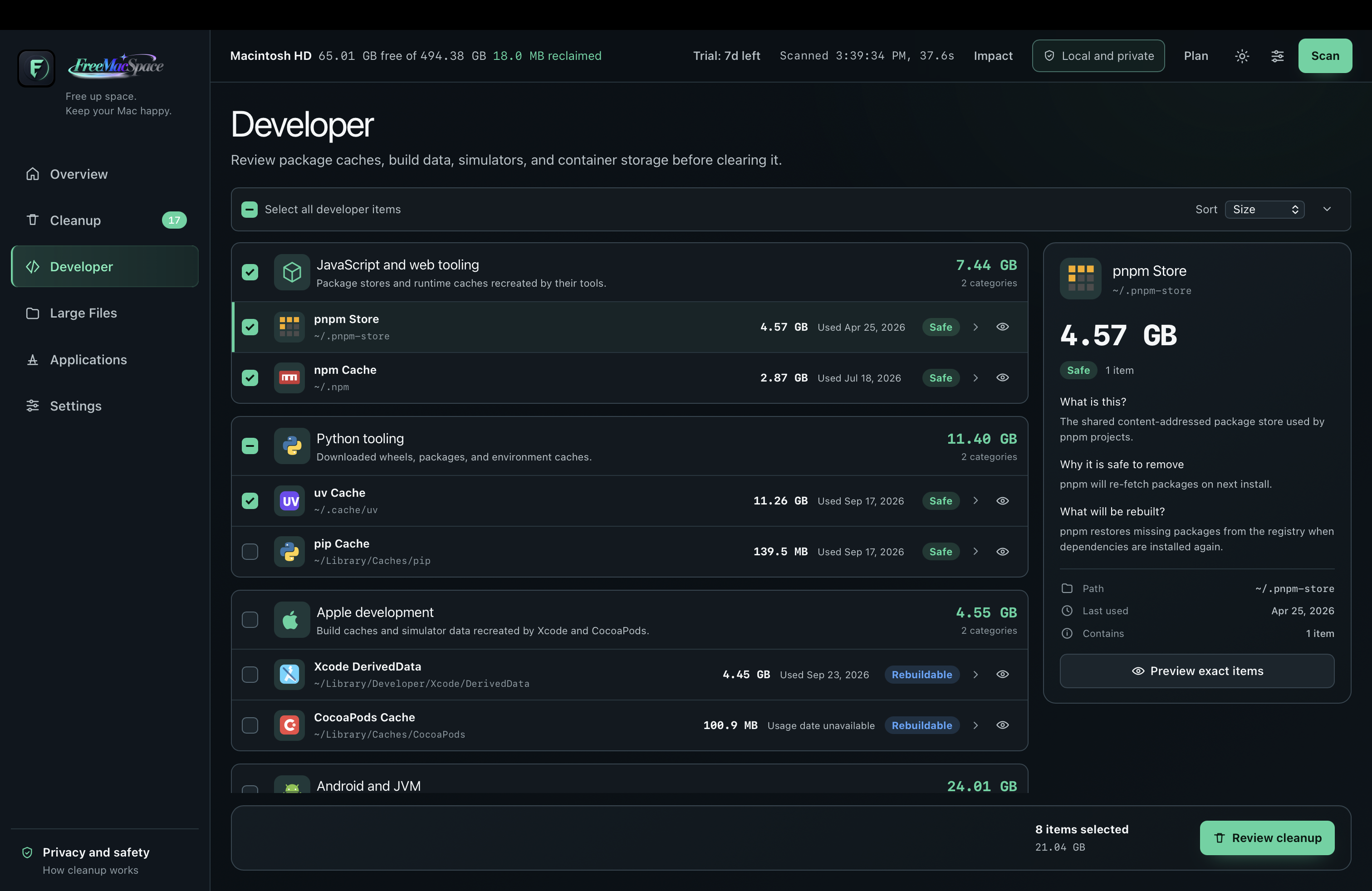
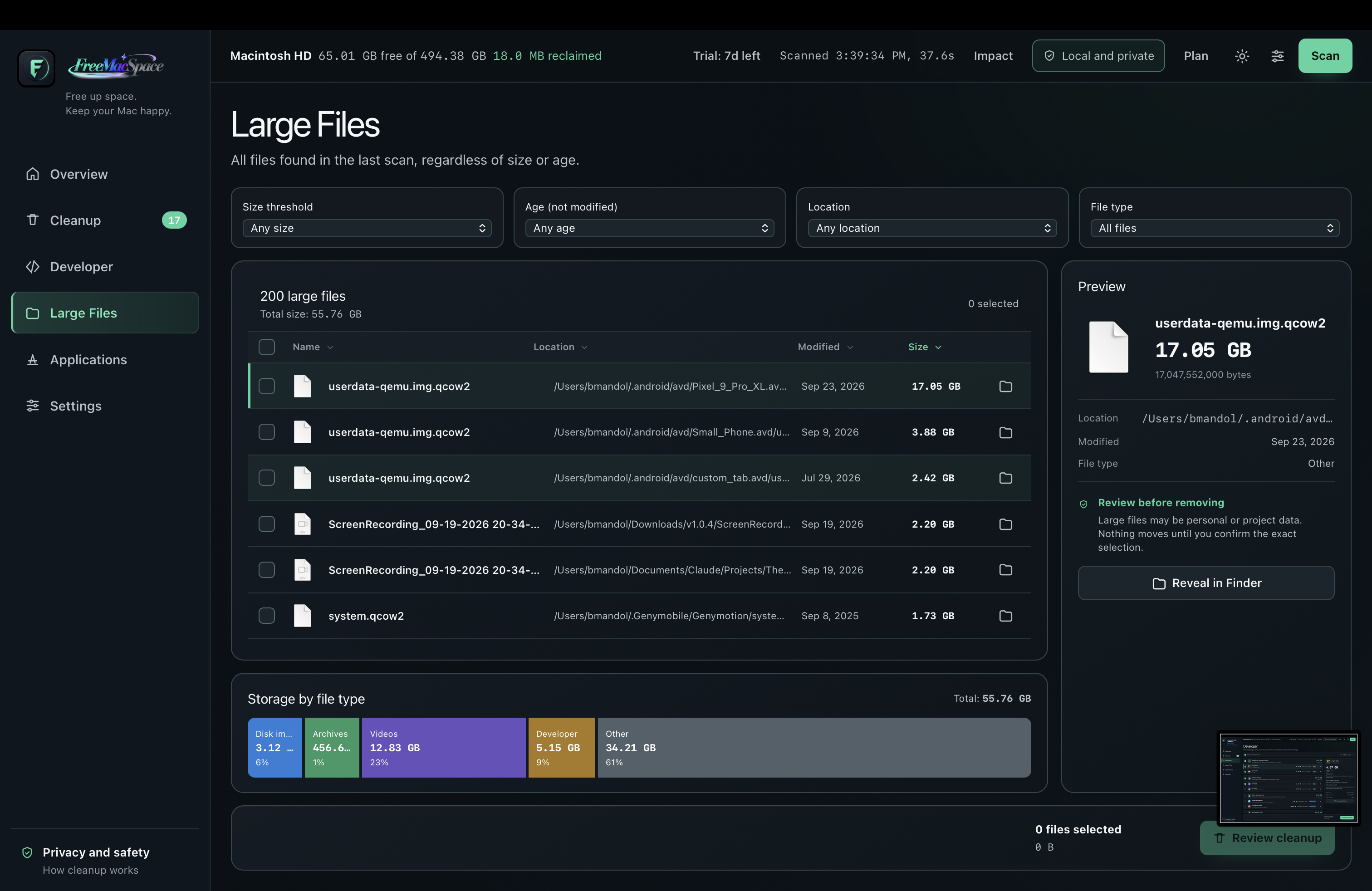
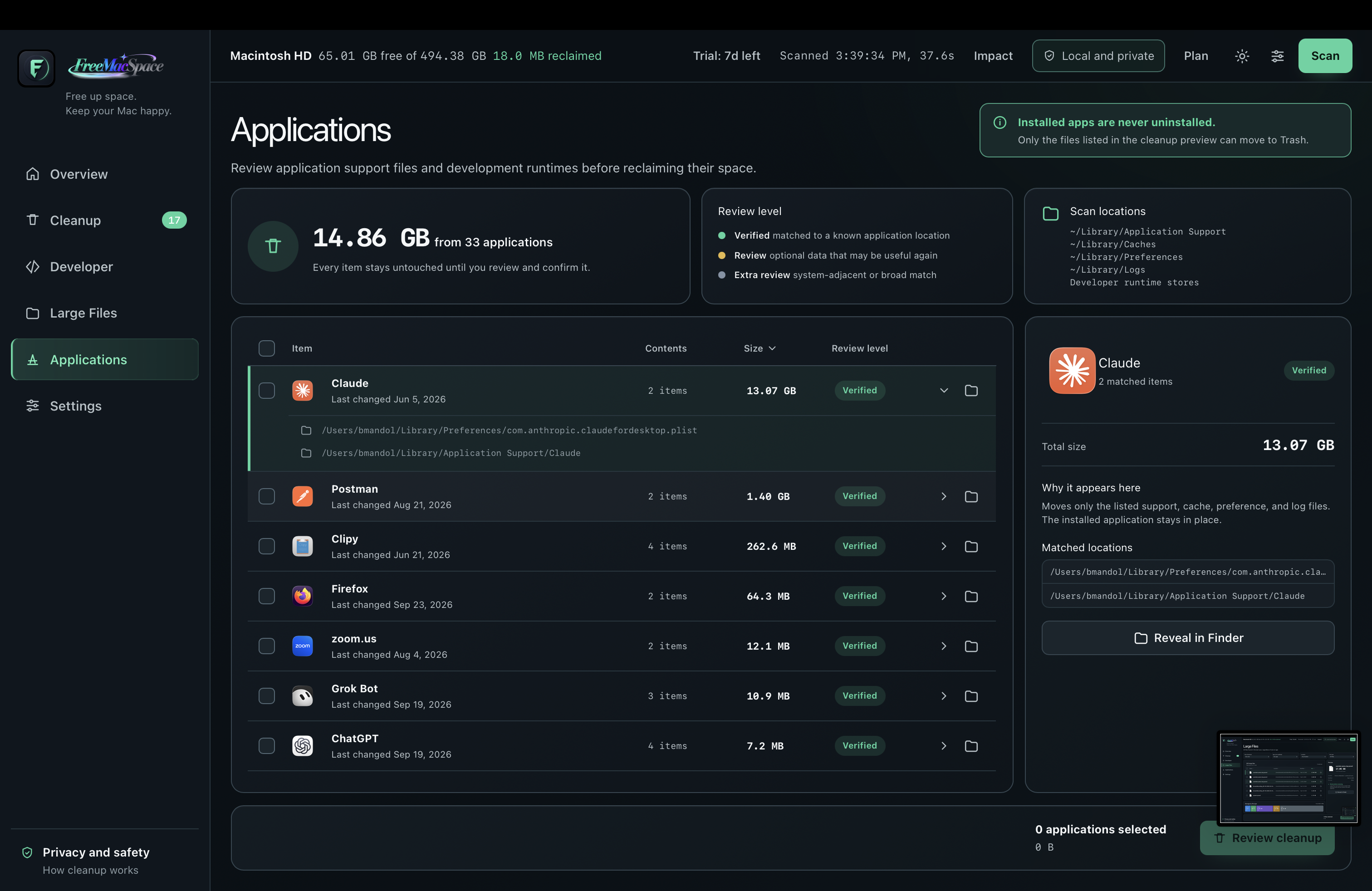
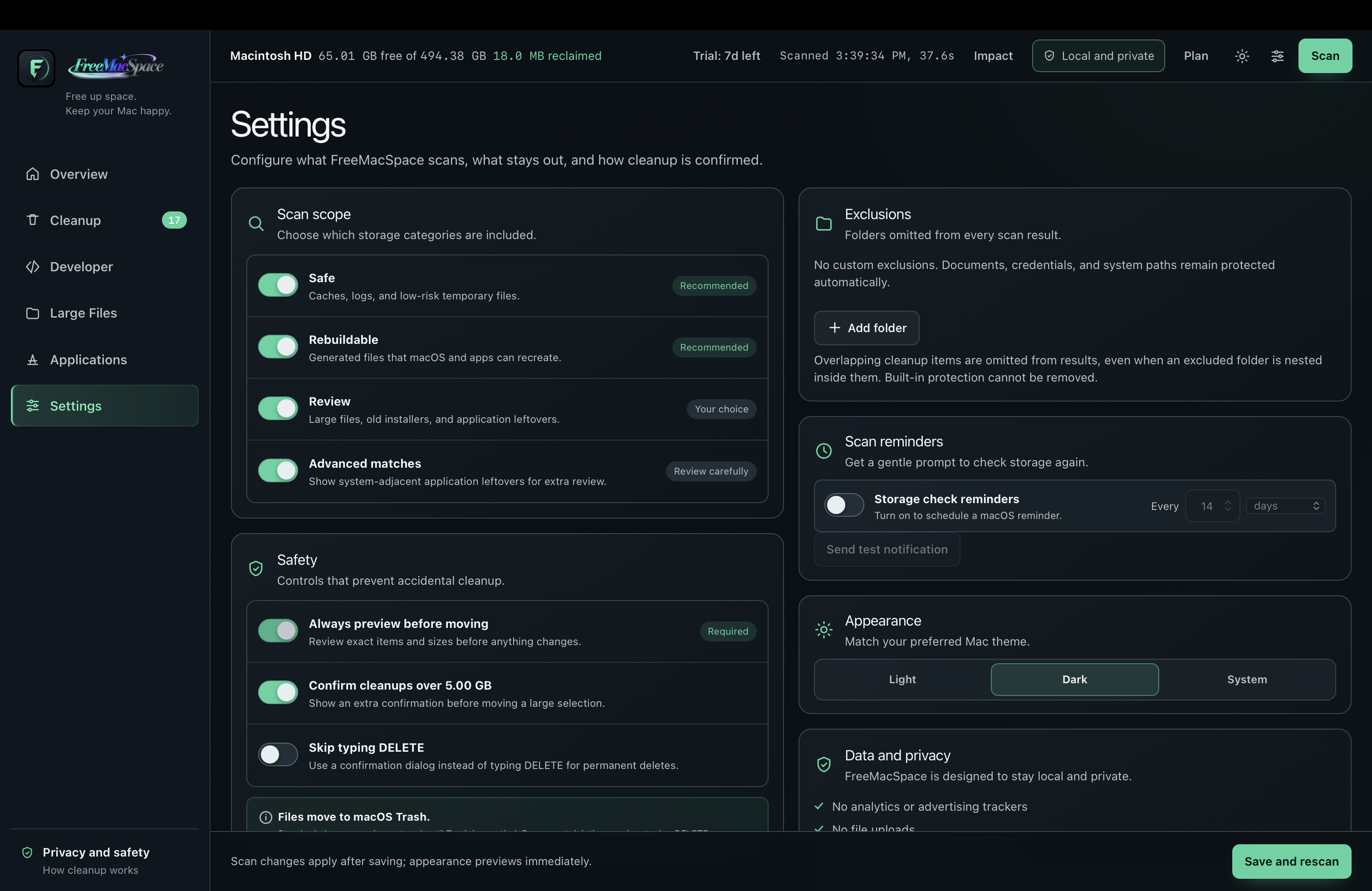
FreeMacSpace is a precision instrument, not a “boost your Mac” suite. One job: show reclaimable space and let you act with eyes open.
Categories stream in across Overview and Cleanup while the app inspects files locally. Results appear as each check finishes — often under 30 seconds.
Open Developer, Large Files, or Applications for exact paths and item counts. Deselect anything you want to keep.
Move to Trash by default. Permanent delete and Empty Trash stay behind typed confirms. Impact tracks lifetime space you actually freed.
Dedicated views for the cleanup jobs Macs actually have, not one endless list.
APFS capacity, reclaimable by Safe / Rebuildable / Review, top opportunities, and a local-only privacy callout.
Streaming scan progress, tier filters, exact item counts, and Preview selection before Review cleanup.
JS, Python, Apple, Android/JVM, and more — with explanations of what it is, why it is safe, and what rebuilds.
Filter by size, age, location, and type. Storage-by-type chart, Reveal in Finder, then clean only your selection.
Support, cache, preference, and log leftovers only. Installed apps are never uninstalled.
Twenty-plus cleanup categories across Safe, Rebuildable, and Review. Docker never touches volumes.
pnpm store, npm, Yarn, Bun, Deno caches
uv, pip, Cargo, Go, Homebrew, Composer, NuGet, SwiftPM
Xcode DerivedData, CocoaPods, unused sims, Gradle, Maven, Android AVDs, and Docker unused images (never volumes)
Every category carries a tier. Documents, secrets, and SIP paths stay on a denylist. Preview is always required before a clean.
User caches, logs, and package caches. Selected by default (Trash stays measure-only until you choose it).
Xcode DerivedData, Gradle, Maven, CocoaPods, and unused sims regenerate on the next build.
Large old files, app leftovers, Android extras, and unused Docker data. Review before you clean.
Scan and preview stay free. Cleaning unlocks with a 7-day trial or a plan. Current intro offer shown; one Mac per license.
Cancel anytime
Billed $23.88 yearly
One Mac, pay once
Scanning and exact previews stay available. Moving files unlocks with a 7-day trial or a license. One trial per Mac.
No. Download the app and start a 7-day trial on your Mac. Online purchase is optional until the trial ends.
Plans are one Mac per license. You can deactivate and move to another machine from the app.
Scans and cleans run locally. Billing talks to our license API and Paddle for checkout, never your files.
Yes for scanning and cleaning once you have a valid trial or license token. When the token expires, the app rechecks entitlement online.
FreeMacSpace needs Full Disk Access for Trash measurement and deep Library paths, so we distribute it directly instead of through the sandboxed Mac App Store.
CleanMyMac X is an all-in-one suite (junk, malware, boost tools). CCleaner focuses on clutter and browsers. FreeMacSpace is a local measuring instrument with Safe / Rebuildable / Review tiers — see the full comparison.